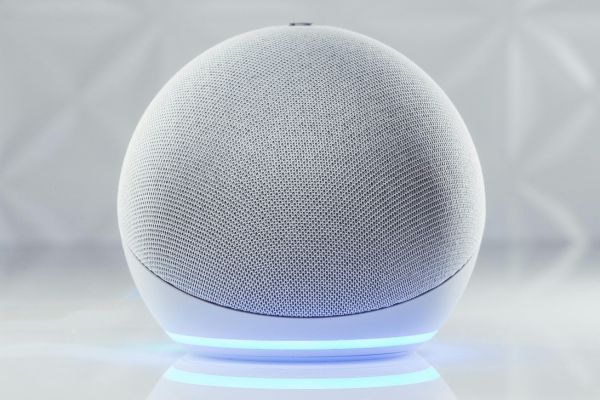
Smart lighting is one of those home upgrades that feels small at first, then quietly changes the way a room works. You walk in with full hands and say, “Alexa, turn on the kitchen lights.” The hallway glows before you reach the switch. The porch light comes on at sunset. The bedroom lamp dims when it is time to wind down.
Learning how to automate lights with Alexa is not only about convenience. It is about making your home respond more naturally to daily routines. Done well, smart lighting can make mornings easier, evenings calmer, and empty rooms less wasteful. The setup is usually simple, but the real value comes from planning it thoughtfully.
Understanding Alexa Light Automation
Alexa light automation works by connecting smart bulbs, smart plugs, smart switches, or lighting hubs to the Alexa app. Once connected, Alexa can control those devices through voice commands, schedules, sensors, and routines.
A basic command might turn one lamp on or off. A routine can do more. It can dim the living room lights at 8 p.m., switch off all downstairs lights when you say “good night,” or turn on the entryway light when motion is detected.
The idea is to move beyond manual control. Instead of treating every light as a separate switch, Alexa lets you create lighting behavior around how you actually live.
Choosing the Right Smart Lighting Setup
Before setting anything up, it helps to decide what kind of smart lighting makes sense for your home. Smart bulbs are the easiest starting point. You screw them into existing fixtures, connect them to Wi-Fi or a hub, and control them through Alexa.
Smart plugs are useful for lamps. They do not change the bulb itself, but they allow Alexa to turn the plugged-in lamp on or off. Smart switches are better for ceiling lights, especially if one switch controls several bulbs. They usually require installation, so they are better suited for people comfortable with basic wiring or willing to hire help.
There is no single best option for everyone. A renter may prefer bulbs and plugs because they are easy to remove. A homeowner may prefer smart switches because they keep the wall switch experience familiar. The best setup is the one that fits your rooms, your habits, and your comfort level.
Setting Up Smart Lights in the Alexa App
The setup usually begins with the device maker’s app. Most smart bulbs, plugs, or switches need to be connected to Wi-Fi first. After that, you open the Alexa app and add the device.
In the Alexa app, the Devices section is where everything comes together. You can search for new devices, link the correct skill if needed, and let Alexa discover your lights. Once the lights appear, rename them clearly.
Names matter more than people think. “Bedroom Lamp” is better than “Smart Bulb 3.” “Kitchen Ceiling” is better than “Light 1.” Natural names make voice commands easier and reduce confusion later.
After naming your devices, test them with simple commands. Say something like, “Alexa, turn on the bedroom lamp.” If Alexa responds correctly, the basic connection is working.
Creating Rooms and Groups
Rooms and groups make smart lighting feel much smoother. Instead of controlling every bulb one at a time, you can group devices by room. For example, the living room group might include ceiling lights, a floor lamp, and a table lamp.
Once grouped, you can say, “Alexa, turn off the living room lights,” and every light in that group will respond. This is especially helpful in spaces with multiple fixtures.
It is worth taking a few extra minutes to organize groups carefully. If a hallway light is added to the wrong room, Alexa may turn it off when you do not expect it. Good organization keeps the system feeling natural instead of fussy.
Using Alexa Routines for Daily Lighting
Routines are where automation becomes genuinely useful. A routine is a set of actions triggered by a command, time, device, or event. For lights, routines can be simple or surprisingly personal.
A morning routine might turn on the bedroom lamp at low brightness, then gradually brighten the kitchen lights. An evening routine might dim the living room and turn on a warm lamp near the sofa. A bedtime routine can switch off the main lights, leave a hallway light on for a few minutes, and then turn everything off.
This is the part of how to automate lights with Alexa that feels most personal. You are not just setting timers. You are shaping the mood and rhythm of the home.
Scheduling Lights Around Time and Sunset
Time-based schedules are practical for both comfort and security. You can set porch lights to turn on at sunset and off at sunrise. You can schedule indoor lights to turn off after everyone usually leaves for work or school.
Sunset and sunrise triggers are especially useful because they adjust naturally through the year. A porch light that comes on at 6 p.m. may work in winter but feel too early in summer. A sunset-based routine avoids that problem.
Still, schedules should match real life. If a light turns off while someone is still reading, the automation becomes annoying. Start with simple schedules, then adjust them as you notice what works.
Adding Motion Sensors and Smart Home Triggers
Motion sensors can make lighting feel almost invisible. A sensor in a hallway can turn lights on when someone walks through. A sensor near the stairs can help at night. A laundry room light can come on automatically when the door opens or motion is detected.
The key is to avoid overdoing it. Motion lighting is great in short-use spaces, such as closets, bathrooms, hallways, garages, and entryways. In living rooms or bedrooms, it may feel too jumpy unless carefully adjusted.
Some routines can also be triggered by smart locks, door sensors, or alarms. For example, when the front door opens after sunset, Alexa can turn on the entryway light. These small touches make the home feel more responsive without requiring constant voice commands.
Adjusting Brightness and Color Temperature
If your smart bulbs support dimming or color temperature, automation becomes more flexible. Bright white light may help in the morning, while softer warm light feels better at night.
A kitchen can use bright light during cooking and lower light during late evening. A bedroom can slowly dim as bedtime approaches. A home office can stay bright during work hours, then shift softer after the workday ends.
Color-changing bulbs can be fun, but everyday comfort often comes from simple brightness and warmth changes. A well-timed warm lamp can do more for a room than a rainbow of colors that rarely gets used.
Common Problems and Simple Fixes
Sometimes Alexa does not find a light, or a routine stops working. Most issues come from Wi-Fi, naming confusion, outdated apps, or device connection problems.
If a light stops responding, check whether it still works in its original app. If it does, the issue may be with Alexa’s connection or the linked skill. If it does not, the device may need to reconnect to Wi-Fi. Restarting the smart light, router, or Alexa device can often help.
Another common issue is duplicate device names. If Alexa hears “lamp” and finds several lamps, it may ask which one you mean or control the wrong device. Clear names and room groups usually solve this.
Privacy and Practical Control
Smart lighting is less sensitive than cameras or microphones, but it still creates information about household routines. A lighting system may reveal when people are home, asleep, or away. That does not mean you should avoid automation, but it does mean settings deserve attention.
Use strong passwords for smart home accounts. Enable two-factor authentication where possible. Keep device apps updated. Review which household members have access to the Alexa app and smart lighting controls.
It is also wise to keep manual control available. A smart home should still work when the internet is slow, someone’s phone is dead, or a guest simply wants to use a normal switch.
Making Automation Feel Natural
The best smart lighting does not call attention to itself. It simply works in the background. Lights come on when they are useful, dim when the house slows down, and turn off when nobody needs them.
Start small. Automate one room first, such as the bedroom, hallway, or living room. Notice what feels helpful and what feels unnecessary. Then expand gradually. A home full of rushed automations can feel irritating. A home with a few thoughtful routines can feel calm and quietly intelligent.
Conclusion
Learning how to automate lights with Alexa is less about chasing a futuristic home and more about making ordinary moments easier. The right setup can soften mornings, simplify evenings, improve safety, and reduce the little daily task of checking every switch.
Smart lighting works best when it follows real habits. Choose devices that fit your space, name them clearly, group them sensibly, and build routines around the way your household actually moves. With a little patience, Alexa lighting automation can become one of those upgrades you stop noticing, because it simply becomes part of how home feels.